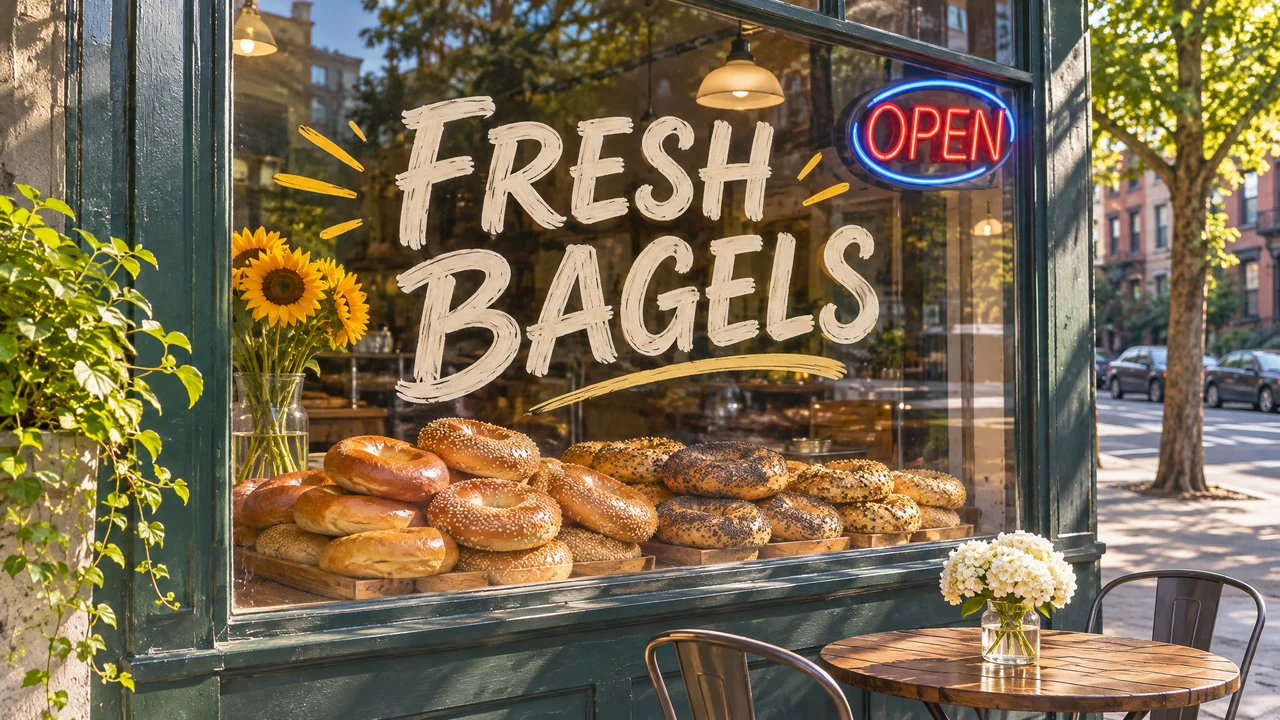
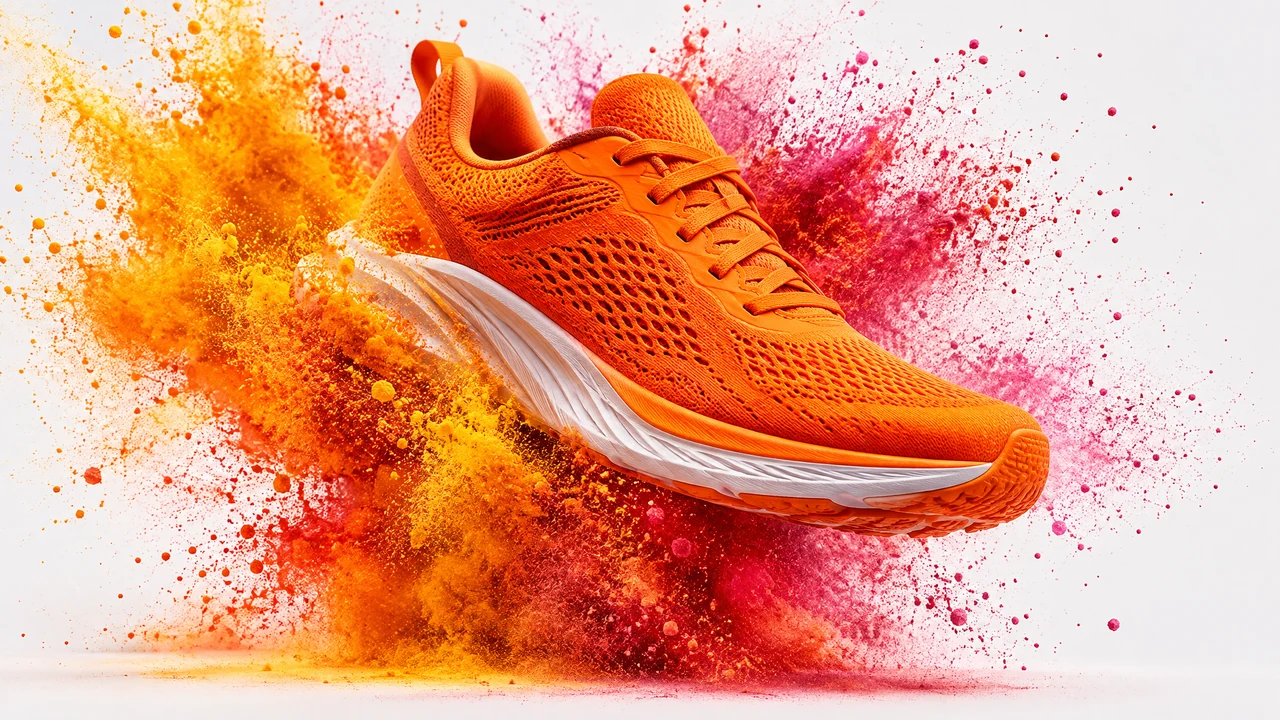
OpenAI GPT Image 2.6 Flare — the fast GPT Image model, for everyday images and quick edits with sharp text. Text-to-image, and editing or combining up to 16 reference images; transparent backgrounds; output up to 4K. New in 2.6: complexity sets how much the model plans before it renders. Billing: per output image by quality, the same at every size and with any number of references — low 70, medium 120, high 175, xhigh 340, max 675 credits. Default quality medium (120 credits).
Asynchronous. Returns a job id (the image is not in this response). Poll GET /v1/images/{id} until status is succeeded — the generated image URLs are in that response’s images array (each { url, position }).
Output background. transparent returns a cut-out with a transparent background, from text or an edit (as PNG, or WebP if asked: JPEG has no transparency). auto lets the model decide.
How much the model plans before it renders. high suits dense text, complex layouts and scenes where objects relate to each other; medium and low plan less, are faster, and suit focused edits such as changing a background or a sign. Does not change the price.
Optional reference images (up to 16) to edit or combine into one image. Each item is a public image URL, a data URI, raw base64, or an uploaded-file URL from POST /v1/uploads. Omit for text-to-image. References do not change the price.
Output size tier; the price is the same at every size. 1:1 renders 1024x1024 at 1K and 2048x2048 at 2K or 4K. 16:9 and 9:16 render 2048x1152 / 1152x2048 at 1K or 2K, and 3840x2160 / 2160x3840 at 4K. 3:2, 2:3, 4:3 and 3:4 have one size each (1536x1024, 1024x1536, 1536x1152, 1152x1536). With aspect_ratio auto the model picks the size, and an edit keeps its input's shape.
Lifecycle state. succeeded/failed/timeout are terminal.
Available options:
pending,
starting,
processing,
completing,
succeeded,
failed,
timeout
{"docsConfig":{"theme":"mint","$schema":"https://mintlify.com/docs.json","name":"BudgetPixel API","description":"Programmatic AI image, video, music, and sound-effect generation API and MCP server for BudgetPixel.","colors":{"primary":"#111111","light":"#ffffff","dark":"#000000"},"logo":{"light":"https://mintcdn.com/budgetpixel/LxKf7gBlohT2vrfk/logo/light.svg?fit=max\u0026auto=format\u0026n=LxKf7gBlohT2vrfk\u0026q=85\u0026s=0e90b5dbefed15ed3def253ba7befe22","dark":"https://mintcdn.com/budgetpixel/LxKf7gBlohT2vrfk/logo/dark.svg?fit=max\u0026auto=format\u0026n=LxKf7gBlohT2vrfk\u0026q=85\u0026s=fced9f91764e91bd1703e072ef3fc9ba"},"favicon":"https://mintcdn.com/budgetpixel/bo3ueBON07AT2z2L/favicon.png?fit=max\u0026auto=format\u0026n=bo3ueBON07AT2z2L\u0026q=85\u0026s=73fe3973072a091864d116d93fb4aa06","background":{"color":{"light":"#F3F1E6"}},"navbar":{"links":[{"href":"https://budgetpixel.com/api","label":"API home"},{"href":"https://budgetpixel.com/models","label":"Models"},{"href":"https://budgetpixel.com/contact","label":"Support"}],"primary":{"type":"button","label":"Get API keys","href":"https://budgetpixel.com/developers"}},"footer":{"socials":{"website":"https://budgetpixel.com","x":"https://x.com/budgetpixel","youtube":"https://www.youtube.com/@budgetpixelai","discord":"https://discord.gg/tDbT2RDmkw","github":"https://github.com/budgetpixel-ai"},"links":[{"header":"Platform","items":[{"label":"API overview","href":"https://budgetpixel.com/api"},{"label":"Model catalog","href":"https://budgetpixel.com/models"},{"label":"MCP server","href":"https://budgetpixel.com/mcp"},{"label":"Features","href":"https://budgetpixel.com/features"}]},{"header":"Developers","items":[{"label":"Get API keys","href":"https://budgetpixel.com/developers"},{"label":"Pricing \u0026 credits","href":"https://budgetpixel.com/pricing"},{"label":"Quickstart","href":"https://docs.budgetpixel.com/quickstart"},{"label":"Authentication","href":"https://docs.budgetpixel.com/authentication"}]},{"header":"Company","items":[{"label":"BudgetPixel","href":"https://budgetpixel.com"},{"label":"Blog","href":"https://budgetpixel.com/blog"},{"label":"Contact","href":"https://budgetpixel.com/contact"}]},{"header":"Legal","items":[{"label":"Developer API Terms","href":"https://budgetpixel.com/developer-terms"},{"label":"Terms of Service","href":"https://budgetpixel.com/terms"},{"label":"Privacy Policy","href":"https://budgetpixel.com/privacy"}]}]},"seo":{"metatags":{"og:site_name":"BudgetPixel API","twitter:site":"@budgetpixel"},"indexing":"all"},"styling":{"latex":false},"navigation":{"pages":[]}},"deployment":{"deploymentMetadataValue":{"subdomain":"budgetpixel","hasAudioNarration":false,"actualSubdomain":"budgetpixel","customDomains":["docs.budgetpixel.com"],"gitSource":{"type":"github","owner":"gliu6","repo":"budget-pixel-api-docs","deployBranch":"main","contentDirectory":"","isPrivate":true,"mountPath":"","label":""},"chroma":{"collectionId":"ad4540f9-786f-4a33-aabc-57d9c589d26b","liveDeploymentHistoryId":"6aea95c6280174ddd6b539f1","schemaVersion":"v3","latestBuiltDeploymentHistoryId":"6aea95c6280174ddd6b539f1"},"entitlements":{"AI_CHAT":{"status":"DISABLED"}},"buildId":"6aeca48852e1c9f3bbf5e504","clientVersion":"0.0.4067","searchFilterCounts":[{"language":"default","tag":"API Reference","count":111},{"language":"default","tag":"Images","count":34},{"language":"default","tag":"Guides","count":28},{"language":"default","tag":"Videos","count":20},{"language":"default","tag":"Alibaba","count":12},{"language":"default","tag":"APIs","count":10},{"language":"default","tag":"Kling","count":10},{"language":"default","tag":"Jobs","count":9},{"language":"default","tag":"Black Forest Labs","count":8},{"language":"default","tag":"Characters","count":6}]},"assistantConfig":{"enableAskAiButton":false,"enableStarterQuestions":false,"enableContextualStarterQuestions":false,"enableAskAiSearchBar":true},"basePath":"","hasChatPermissions":false,"hasWebMcpPermissions":false,"toggles":[{"name":"kill-isr","enabled":true,"variant":{"name":"disabled","enabled":false,"feature_enabled":true},"impressionData":false},{"name":"agent-mintlify-slack","enabled":true,"variant":{"name":"disabled","enabled":false,"feature_enabled":true},"impressionData":false},{"name":"agent-integrations-settings","enabled":true,"variant":{"name":"disabled","enabled":false,"feature_enabled":true},"impressionData":false},{"name":"rbac-expansion","enabled":true,"variant":{"name":"disabled","enabled":false,"feature_enabled":true},"impressionData":false},{"name":"automations-pr-grouping","enabled":true,"variant":{"name":"disabled","enabled":false,"feature_enabled":true},"impressionData":false},{"name":"custom-prefix","enabled":true,"variant":{"name":"disabled","enabled":false,"feature_enabled":true},"impressionData":false},{"name":"analytics-v7","enabled":true,"variant":{"name":"disabled","enabled":false,"feature_enabled":true},"impressionData":false},{"name":"user-flows-analytics","enabled":true,"variant":{"name":"disabled","enabled":false,"feature_enabled":true},"impressionData":false},{"name":"no-publish-flow","enabled":true,"variant":{"name":"disabled","enabled":false,"feature_enabled":true},"impressionData":false},{"name":"workos-onboarding","enabled":true,"variant":{"name":"disabled","enabled":false,"feature_enabled":true},"impressionData":false},{"name":"llms-txt-v2","enabled":true,"variant":{"name":"disabled","enabled":false,"feature_enabled":true},"impressionData":false},{"name":"snapshot-serving-live","enabled":true,"variant":{"name":"disabled","enabled":false,"feature_enabled":true},"impressionData":false},{"name":"stripTemperatureMiddleware","enabled":true,"variant":{"name":"disabled","enabled":false,"feature_enabled":true},"impressionData":false},{"name":"support-platform-pylon-zendesk","enabled":true,"variant":{"name":"disabled","enabled":false,"feature_enabled":true},"impressionData":false},{"name":"snapshot-serving","enabled":true,"variant":{"name":"disabled","enabled":false,"feature_enabled":true},"impressionData":false},{"name":"instant-rollback","enabled":true,"variant":{"name":"disabled","enabled":false,"feature_enabled":true},"impressionData":false},{"name":"granular-notifications-server","enabled":true,"variant":{"name":"disabled","enabled":false,"feature_enabled":true},"impressionData":false},{"name":"granular-notifications","enabled":true,"variant":{"name":"disabled","enabled":false,"feature_enabled":true},"impressionData":false},{"name":"automations-fable","enabled":true,"variant":{"name":"disabled","enabled":false,"feature_enabled":true},"impressionData":false},{"name":"fixed-ai-action-pricing","enabled":true,"variant":{"name":"disabled","enabled":false,"feature_enabled":true},"impressionData":false},{"name":"automation-resolve-merge-conflict","enabled":true,"variant":{"name":"disabled","enabled":false,"feature_enabled":true},"impressionData":false},{"name":"scoped-publishing","enabled":true,"variant":{"name":"disabled","enabled":false,"feature_enabled":true},"impressionData":false},{"name":"mintql","enabled":true,"variant":{"name":"disabled","enabled":false,"feature_enabled":true},"impressionData":false},{"name":"page-level-analytics","enabled":true,"variant":{"name":"disabled","enabled":false,"feature_enabled":true},"impressionData":false},{"name":"editor-version-history-v2","enabled":true,"variant":{"name":"disabled","enabled":false,"feature_enabled":true},"impressionData":false},{"name":"billing-page-v2","enabled":true,"variant":{"name":"disabled","enabled":false,"feature_enabled":true},"impressionData":false},{"name":"full-page-search","enabled":true,"variant":{"name":"disabled","enabled":false,"feature_enabled":true},"impressionData":false},{"name":"workspace-projects","enabled":true,"variant":{"name":"disabled","enabled":false,"feature_enabled":true},"impressionData":false},{"name":"assistant-v5","enabled":true,"variant":{"name":"disabled","enabled":false,"feature_enabled":true},"impressionData":false},{"name":"fork-pr-previews","enabled":true,"variant":{"name":"disabled","enabled":false,"feature_enabled":true},"impressionData":false},{"name":"revalidation-jwt","enabled":true,"variant":{"name":"disabled","enabled":false,"feature_enabled":true},"impressionData":false},{"name":"vite-origin","enabled":true,"variant":{"name":"disabled","enabled":false,"feature_enabled":true},"impressionData":false},{"name":"workos-sso-scim","enabled":true,"variant":{"name":"disabled","enabled":false,"feature_enabled":true},"impressionData":false},{"name":"hobby-abuse-scan","enabled":true,"variant":{"name":"disabled","enabled":false,"feature_enabled":true},"impressionData":false},{"name":"dashboard-inbox","enabled":true,"variant":{"name":"disabled","enabled":false,"feature_enabled":true},"impressionData":false},{"name":"workos-signup","enabled":true,"variant":{"name":"disabled","enabled":false,"feature_enabled":true},"impressionData":false},{"name":"turbopuffer-dual-write","enabled":true,"variant":{"name":"disabled","enabled":false,"feature_enabled":true},"impressionData":false},{"name":"workos-enabled","enabled":true,"variant":{"name":"disabled","enabled":false,"feature_enabled":true},"impressionData":false},{"name":"approve-review-flow","enabled":true,"variant":{"name":"disabled","enabled":false,"feature_enabled":true},"impressionData":false},{"name":"sso-setup-deadline-banner","enabled":true,"variant":{"name":"disabled","enabled":false,"feature_enabled":true},"impressionData":false},{"name":"turbopuffer-serve","enabled":true,"variant":{"name":"disabled","enabled":false,"feature_enabled":true},"impressionData":false},{"name":"live-agents","enabled":true,"variant":{"name":"disabled","enabled":false,"feature_enabled":true},"impressionData":false}],"googleFontsInlined":false},"customCss":[],"page":{"pagePath":"api-reference/openai/generate-image-with-gpt-image-26-flare","slug":"/api-reference/openai/generate-image-with-gpt-image-26-flare","pageMetadata":{"title":"Generate image with GPT Image 2.6 Flare","description":"OpenAI GPT Image 2.6 Flare — the fast GPT Image model, for everyday images and quick edits with sharp text. Text-to-image, and editing or combining up to 16 reference images; transparent backgrounds; output up to 4K. New in 2.6: complexity sets how much the model plans before it renders. Billing: per output image by quality, the same at every size and with any number of references — low 70, medium 120, high 175, xhigh 340, max 675 credits. Default quality medium (120 credits).\n\n**Asynchronous.** Returns a job `id` (the image is not in this response). Poll [`GET /v1/images/{id}`](/api-reference/images/get-image-job-status) until `status` is `succeeded` — the generated image URLs are in that response's `images` array (each `{ url, position }`).\n\nExamples, sample output and pricing: [GPT Image 2.6 Flare](https://budgetpixel.com/models/gpt-image-2.6-flare)","deprecated":null,"version":null,"openapi":"/openapi.yaml post /images/gpt-image-2.6-flare","href":"/api-reference/openai/generate-image-with-gpt-image-26-flare","autogeneratedByOpenApi":true},"description":{"compiledSource":"\"use strict\";\nconst {Fragment: _Fragment, jsx: _jsx, jsxs: _jsxs} = arguments[0];\nconst {useMDXComponents: _provideComponents} = arguments[0];\nfunction _createMdxContent(props) {\n const _components = {\n a: \"a\",\n code: \"code\",\n p: \"p\",\n strong: \"strong\",\n ..._provideComponents(),\n ...props.components\n };\n return _jsxs(_Fragment, {\n children: [_jsx(_components.p, {\n children: \"OpenAI GPT Image 2.6 Flare — the fast GPT Image model, for everyday images and quick edits with sharp text. Text-to-image, and editing or combining up to 16 reference images; transparent backgrounds; output up to 4K. New in 2.6: complexity sets how much the model plans before it renders. Billing: per output image by quality, the same at every size and with any number of references — low 70, medium 120, high 175, xhigh 340, max 675 credits. Default quality medium (120 credits).\"\n }), \"\\n\", _jsxs(_components.p, {\n children: [_jsx(_components.strong, {\n children: \"Asynchronous.\"\n }), \" Returns a job \", _jsx(_components.code, {\n children: \"id\"\n }), \" (the image is not in this response). Poll \", _jsx(_components.a, {\n href: \"/api-reference/images/get-image-job-status\",\n children: _jsx(_components.code, {\n children: \"GET /v1/images/{id}\"\n })\n }), \" until \", _jsx(_components.code, {\n children: \"status\"\n }), \" is \", _jsx(_components.code, {\n children: \"succeeded\"\n }), \" — the generated image URLs are in that response’s \", _jsx(_components.code, {\n children: \"images\"\n }), \" array (each \", _jsx(_components.code, {\n children: \"{ url, position }\"\n }), \").\"]\n }), \"\\n\", _jsxs(_components.p, {\n children: [\"Examples, sample output and pricing: \", _jsx(_components.a, {\n href: \"https://budgetpixel.com/models/gpt-image-2.6-flare\",\n children: \"GPT Image 2.6 Flare\"\n })]\n })]\n });\n}\nfunction MDXContent(props = {}) {\n const {wrapper: MDXLayout} = {\n ..._provideComponents(),\n ...props.components\n };\n return MDXLayout ? _jsx(MDXLayout, {\n ...props,\n children: _jsx(_createMdxContent, {\n ...props\n })\n }) : _createMdxContent(props);\n}\nreturn {\n default: MDXContent\n};\n","frontmatter":{},"scope":{}},"pageType":"default","mdx":{"mdxSource":{"compiledSource":"\"use strict\";const{Fragment:_Fragment,jsx:_jsx,jsxs:_jsxs}=arguments[0];const{useMDXComponents:_provideComponents}=arguments[0];function _createMdxContent(props){const _components={p:`p`,..._provideComponents(),...props.components},{Card,OptimizedImage}=_components;if(!Card)_missingMdxReference(`Card`,true);if(!OptimizedImage)_missingMdxReference(`OptimizedImage`,true);return _jsxs(_Fragment,{children:[_jsxs(`div`,{style:{display:`grid`,gridTemplateColumns:`repeat(2, minmax(0, 1fr))`,gap:`0.75rem`},children:[_jsx(OptimizedImage,{src:`https://cdn.budgetpixel.com/model-landing/gpt-image-2.6-flare/hero_0-7b4459e6-260d-4994-a443-3005b7e1c751/1793892485931483841-f6f463dc-5fa7-414c-b937-42166ed2ec41.webp`,alt:`Cafe window with a hand-lettered FRESH BAGELS sign and a neon OPEN sign, made with GPT Image 2.6 Flare`,loading:`lazy`,style:{width:`100%`,borderRadius:`0.75rem`}}),_jsx(OptimizedImage,{src:`https://cdn.budgetpixel.com/model-landing/gpt-image-2.6-flare/hero_1-e62613c8-78cb-4cde-bf62-1d2267150c9f/1793892490349262404-712c3bb9-e8ff-418f-9ca8-abcf7aec984b.webp`,alt:`Flat illustration of a cat asleep on a window seat in a cozy reading nook, made with GPT Image 2.6 Flare`,loading:`lazy`,style:{width:`100%`,borderRadius:`0.75rem`}}),_jsx(OptimizedImage,{src:`https://cdn.budgetpixel.com/model-landing/gpt-image-2.6-flare/hero_2-f118e137-d366-44ed-8456-975db3d6f5ca/1793892494778021279-c291dde0-da03-4513-a644-da254c5164a4.webp`,alt:`Orange running shoe bursting through a splash of colored powder, made with GPT Image 2.6 Flare`,loading:`lazy`,style:{width:`100%`,borderRadius:`0.75rem`}}),_jsx(OptimizedImage,{src:`https://cdn.budgetpixel.com/model-landing/gpt-image-2.6-flare/hero_3-983640f5-af31-4b4a-bd7b-cc4c6900b0b6/1793892499143394371-0854994c-90b8-46c0-85bb-87a805e41031.webp`,alt:`Risograph-style poster reading MAKE IT TODAY with bold geometric shapes, made with GPT Image 2.6 Flare`,loading:`lazy`,style:{width:`100%`,borderRadius:`0.75rem`}})]}),`\n`,_jsx(Card,{title:`GPT Image 2.6 Flare on BudgetPixel`,icon:`images`,href:`https://budgetpixel.com/models/gpt-image-2.6-flare`,horizontal:true,children:_jsx(_components.p,{children:`More examples, prompts and pricing.`})})]})}function MDXContent(props={}){const{wrapper:MDXLayout}={..._provideComponents(),...props.components};return MDXLayout?_jsx(MDXLayout,{...props,children:_jsx(_createMdxContent,{...props})}):_createMdxContent(props)}return{default:MDXContent};function _missingMdxReference(id,component){throw new Error(`Expected `+(component?`component`:`object`)+\" `\"+id+\"` to be defined: you likely forgot to import, pass, or provide it.\")}","frontmatter":{},"scope":{"config":{},"pageMetadata":{"title":"Generate image with GPT Image 2.6 Flare","description":"OpenAI GPT Image 2.6 Flare — the fast GPT Image model, for everyday images and quick edits with sharp text. Text-to-image, and editing or combining up to 16 reference images; transparent backgrounds; output up to 4K. New in 2.6: complexity sets how much the model plans before it renders. Billing: per output image by quality, the same at every size and with any number of references — low 70, medium 120, high 175, xhigh 340, max 675 credits. Default quality medium (120 credits).\n\n**Asynchronous.** Returns a job `id` (the image is not in this response). Poll [`GET /v1/images/{id}`](/api-reference/images/get-image-job-status) until `status` is `succeeded` — the generated image URLs are in that response's `images` array (each `{ url, position }`).\n\nExamples, sample output and pricing: [GPT Image 2.6 Flare](https://budgetpixel.com/models/gpt-image-2.6-flare)","deprecated":null,"version":null,"openapi":"/openapi.yaml post /images/gpt-image-2.6-flare","href":"/api-reference/openai/generate-image-with-gpt-image-26-flare","autogeneratedByOpenApi":true}}},"mdxSourceWithNoJs":null},"mdxExtracts":{"tableOfContents":[],"codeExamples":{}},"jsLinks":[],"openApiReferenceData":{"operation":{"x-mint":{"content":"\u003cdiv style={{ display: \"grid\", gridTemplateColumns: \"repeat(2, minmax(0, 1fr))\", gap: \"0.75rem\" }}>\n \u003cimg src=\"https://cdn.budgetpixel.com/model-landing/gpt-image-2.6-flare/hero_0-7b4459e6-260d-4994-a443-3005b7e1c751/1793892485931483841-f6f463dc-5fa7-414c-b937-42166ed2ec41.webp\" alt=\"Cafe window with a hand-lettered FRESH BAGELS sign and a neon OPEN sign, made with GPT Image 2.6 Flare\" loading=\"lazy\" style={{ width: \"100%\", borderRadius: \"0.75rem\" }} />\n \u003cimg src=\"https://cdn.budgetpixel.com/model-landing/gpt-image-2.6-flare/hero_1-e62613c8-78cb-4cde-bf62-1d2267150c9f/1793892490349262404-712c3bb9-e8ff-418f-9ca8-abcf7aec984b.webp\" alt=\"Flat illustration of a cat asleep on a window seat in a cozy reading nook, made with GPT Image 2.6 Flare\" loading=\"lazy\" style={{ width: \"100%\", borderRadius: \"0.75rem\" }} />\n \u003cimg src=\"https://cdn.budgetpixel.com/model-landing/gpt-image-2.6-flare/hero_2-f118e137-d366-44ed-8456-975db3d6f5ca/1793892494778021279-c291dde0-da03-4513-a644-da254c5164a4.webp\" alt=\"Orange running shoe bursting through a splash of colored powder, made with GPT Image 2.6 Flare\" loading=\"lazy\" style={{ width: \"100%\", borderRadius: \"0.75rem\" }} />\n \u003cimg src=\"https://cdn.budgetpixel.com/model-landing/gpt-image-2.6-flare/hero_3-983640f5-af31-4b4a-bd7b-cc4c6900b0b6/1793892499143394371-0854994c-90b8-46c0-85bb-87a805e41031.webp\" alt=\"Risograph-style poster reading MAKE IT TODAY with bold geometric shapes, made with GPT Image 2.6 Flare\" loading=\"lazy\" style={{ width: \"100%\", borderRadius: \"0.75rem\" }} />\n\u003c/div>\n\n\u003cCard title=\"GPT Image 2.6 Flare on BudgetPixel\" icon=\"images\" href=\"https://budgetpixel.com/models/gpt-image-2.6-flare\" horizontal>\n More examples, prompts and pricing.\n\u003c/Card>"},"description":"OpenAI GPT Image 2.6 Flare — the fast GPT Image model, for everyday images and quick edits with sharp text. Text-to-image, and editing or combining up to 16 reference images; transparent backgrounds; output up to 4K. New in 2.6: complexity sets how much the model plans before it renders. Billing: per output image by quality, the same at every size and with any number of references — low 70, medium 120, high 175, xhigh 340, max 675 credits. Default quality medium (120 credits).\n\n**Asynchronous.** Returns a job `id` (the image is not in this response). Poll [`GET /v1/images/{id}`](/api-reference/images/get-image-job-status) until `status` is `succeeded` — the generated image URLs are in that response's `images` array (each `{ url, position }`).\n\nExamples, sample output and pricing: [GPT Image 2.6 Flare](https://budgetpixel.com/models/gpt-image-2.6-flare)","operationId":"createImage_gpt_image_2_6_flare","requestBody":"aaf169ae-bcbf-44d9-ab1e-4f29fb2d8600","responses":{"200":"d8bb12f1-27ad-4310-b524-c5576f3b53e8","400":"f5a17d6d-39a0-4e27-ae6e-4b11fa42c66c","401":"ab57ca7f-9a8a-4b06-9c34-86a95871f7af","403":"92cf5c21-aec8-42db-b369-9f07cd0f6fef","429":"3cb0bd53-db9a-4ef5-ba7a-ca575f1805ad"},"summary":"Generate image with GPT Image 2.6 Flare","tags":["OpenAI"],"method":"post","type":"path","servers":["ac0f1cb7-c5e2-4c20-a8ca-d1593f7c76be"],"security":["9d07cdfb-d650-4e29-a01e-3c0ebc326bac"],"path":"/images/gpt-image-2.6-flare","baseUrlOptions":["https://api.budgetpixel.com/v1"],"title":"Generate image with GPT Image 2.6 Flare","codeSamples":[],"requiredOnlyExamples":false,"requestExampleType":"generated","responseExampleType":"generated"},"dependencies":{"parameters":{},"requestBody":{"content":{"application/json":{"schema":{"properties":{"prompt":{"description":"Text description of the image to generate. Write `@handle` to cast a character: a BudgetPixel AI influencer or one of your own ([`GET /v1/characters`](/api-reference/characters/list-characters-you-can-cast)).","type":"string","isRequired":true,"uniqueKey":"prompt","typeLabel":"string"},"aspect_ratio":{"default":"1:1","description":"Output aspect ratio.","enum":["1:1","3:2","2:3","4:3","3:4","16:9","9:16","auto"],"type":"string","uniqueKey":"aspect_ratio","typeLabel":"enum\u003cstring>"},"background":{"default":"auto","description":"Output background. transparent returns a cut-out with a transparent background, from text or an edit (as PNG, or WebP if asked: JPEG has no transparency). auto lets the model decide.","enum":["auto","opaque","transparent"],"type":"string","uniqueKey":"background","typeLabel":"enum\u003cstring>"},"complexity":{"default":"high","description":"How much the model plans before it renders. high suits dense text, complex layouts and scenes where objects relate to each other; medium and low plan less, are faster, and suit focused edits such as changing a background or a sign. Does not change the price.","enum":["low","medium","high"],"type":"string","uniqueKey":"complexity","typeLabel":"enum\u003cstring>"},"num_images":{"default":1,"description":"Number of images to generate.","maximum":4,"minimum":1,"type":"integer","uniqueKey":"num_images","typeLabel":"integer"},"output_format":{"default":"png","description":"Output image format.","enum":["png","jpeg","webp"],"type":"string","uniqueKey":"output_format","typeLabel":"enum\u003cstring>"},"quality":{"default":"medium","description":"Rendering detail. Per image, at any size: low 70, medium 120, high 175, xhigh 340, max 675 credits.","enum":["low","medium","high","xhigh","max"],"type":"string","uniqueKey":"quality","typeLabel":"enum\u003cstring>"},"reference_images":{"description":"Optional reference images (up to 16) to edit or combine into one image. Each item is a public image URL, a data URI, raw base64, or an uploaded-file URL from POST /v1/uploads. Omit for text-to-image. References do not change the price.","items":{"type":"string","uniqueKey":"reference_images.items.[INDEX]","typeLabel":"string"},"maxItems":16,"type":"array","x-bpx-media":"image","uniqueKey":"reference_images","typeLabel":"string[]"},"resolution":{"default":"1K","description":"Output size tier; the price is the same at every size. 1:1 renders 1024x1024 at 1K and 2048x2048 at 2K or 4K. 16:9 and 9:16 render 2048x1152 / 1152x2048 at 1K or 2K, and 3840x2160 / 2160x3840 at 4K. 3:2, 2:3, 4:3 and 3:4 have one size each (1536x1024, 1024x1536, 1536x1152, 1152x1536). With aspect_ratio auto the model picks the size, and an edit keeps its input's shape.","enum":["1K","2K","4K"],"type":"string","uniqueKey":"resolution","typeLabel":"enum\u003cstring>"}},"required":["prompt"],"type":"object","uniqueKey":"","typeLabel":"object"},"examples":{"Example":{"title":"Example","value":{"prompt":"\u003cstring>","aspect_ratio":"1:1","background":"auto","complexity":"high","num_images":1,"output_format":"png","quality":"medium","reference_images":["\u003cstring>"],"resolution":"1K"}}},"exampleType":"generated"}},"required":true,"exampleType":"generated"},"responses":{"d8bb12f1-27ad-4310-b524-c5576f3b53e8":{"content":{"application/json":{"schema":{"properties":{"characters":{"description":"The characters the prompt cast with `@handle` mentions. Absent when none.","items":{"properties":{"handle":{"example":"barry","type":"string","uniqueKey":"characters.items.[INDEX].handle","typeLabel":"string"},"name":{"example":"Barry","type":"string","uniqueKey":"characters.items.[INDEX].name","typeLabel":"string"},"official":{"description":"`true` for a BudgetPixel AI influencer.","type":"boolean","uniqueKey":"characters.items.[INDEX].official","typeLabel":"boolean"},"page_url":{"format":"uri","type":"string","uniqueKey":"characters.items.[INDEX].page_url","typeLabel":"string\u003curi>"}},"type":"object","uniqueKey":"characters.items.[INDEX]","typeLabel":"object"},"type":"array","uniqueKey":"characters","typeLabel":"object[]"},"id":{"description":"Opaque job id — use it to poll status.","example":"img_a1b2c3d4e5f6","type":"string","uniqueKey":"id","typeLabel":"string"},"message":{"type":"string","uniqueKey":"message","typeLabel":"string"},"model":{"type":"string","uniqueKey":"model","typeLabel":"string"},"status":{"description":"Lifecycle state. `succeeded`/`failed`/`timeout` are terminal.","enum":["pending","starting","processing","completing","succeeded","failed","timeout"],"type":"string","uniqueKey":"status","typeLabel":"enum\u003cstring>"}},"type":"object","uniqueKey":"","typeLabel":"object"},"examples":{"Example":{"title":"Example","value":{"characters":[{"handle":"barry","name":"Barry","official":true,"page_url":"\u003cstring>"}],"id":"img_a1b2c3d4e5f6","message":"\u003cstring>","model":"\u003cstring>","status":"pending"}}},"exampleType":"generated"}},"description":"Job accepted.","exampleType":"generated"},"f5a17d6d-39a0-4e27-ae6e-4b11fa42c66c":{"content":{"application/json":{"schema":{"oneOf":[{"type":"object","required":["error"],"properties":{"error":{"properties":{"code":{"description":"Stable machine-readable code.","example":"model_not_available","type":"string","isRequired":true,"uniqueKey":"oneOf.0.error.code","typeLabel":"string"},"message":{"type":"string","isRequired":true,"uniqueKey":"oneOf.0.error.message","typeLabel":"string"},"type":{"description":"Error category.","example":"invalid_request_error","type":"string","isRequired":true,"uniqueKey":"oneOf.0.error.type","typeLabel":"string"}},"required":["type","code","message"],"type":"object","isRequired":true,"uniqueKey":"oneOf.0.error","typeLabel":"object"}},"uniqueKey":"oneOf.0","typeLabel":"object"},{"type":"object","description":"Returned (with HTTP 400) when the input content moderation gate blocks a generation request. The block is a property of the request's prompt or input media — reword the prompt or change the input and retry. Branch on `restriction_reason`, which is stable and machine-readable.","required":["error","restriction_reason"],"properties":{"error":{"description":"Human-readable explanation of the block.","type":"string","isRequired":true,"uniqueKey":"oneOf.1.error","typeLabel":"string"},"restriction_reason":{"description":"Stable machine-readable block reason.","enum":["input_csam","input_explicit_adult","input_upload_nudity","input_celebrity_likeness","strict_model_nsfw"],"type":"string","isRequired":true,"uniqueKey":"oneOf.1.restriction_reason","typeLabel":"enum\u003cstring>"}},"uniqueKey":"oneOf.1","typeLabel":"object"}],"uniqueKey":"","typeLabel":"object"},"examples":{"Example":{"title":"Example","value":{"error":{"code":"model_not_available","message":"\u003cstring>","type":"invalid_request_error"}}}},"exampleType":"generated"}},"description":"The request was malformed, referenced an unavailable model, or was blocked by input content moderation (moderation blocks carry a `restriction_reason` — see ModerationBlocked).","exampleType":"generated"},"ab57ca7f-9a8a-4b06-9c34-86a95871f7af":{"content":{"application/json":{"schema":{"properties":{"error":{"properties":{"code":{"description":"Stable machine-readable code.","example":"model_not_available","type":"string","isRequired":true,"uniqueKey":"error.code","typeLabel":"string"},"message":{"type":"string","isRequired":true,"uniqueKey":"error.message","typeLabel":"string"},"type":{"description":"Error category.","example":"invalid_request_error","type":"string","isRequired":true,"uniqueKey":"error.type","typeLabel":"string"}},"required":["type","code","message"],"type":"object","isRequired":true,"uniqueKey":"error","typeLabel":"object"}},"required":["error"],"type":"object","uniqueKey":"","typeLabel":"object"},"examples":{"Example":{"title":"Example","value":{"error":{"code":"model_not_available","message":"\u003cstring>","type":"invalid_request_error"}}}},"exampleType":"generated"}},"description":"Missing or invalid API key.","exampleType":"generated"},"92cf5c21-aec8-42db-b369-9f07cd0f6fef":{"content":{"application/json":{"schema":{"properties":{"error":{"properties":{"code":{"description":"Stable machine-readable code.","example":"model_not_available","type":"string","isRequired":true,"uniqueKey":"error.code","typeLabel":"string"},"message":{"type":"string","isRequired":true,"uniqueKey":"error.message","typeLabel":"string"},"type":{"description":"Error category.","example":"invalid_request_error","type":"string","isRequired":true,"uniqueKey":"error.type","typeLabel":"string"}},"required":["type","code","message"],"type":"object","isRequired":true,"uniqueKey":"error","typeLabel":"object"}},"required":["error"],"type":"object","uniqueKey":"","typeLabel":"object"},"examples":{"Example":{"title":"Example","value":{"error":{"code":"model_not_available","message":"\u003cstring>","type":"invalid_request_error"}}}},"exampleType":"generated"}},"description":"Authenticated but not permitted (plan gate, ownership, account restriction). Content-moderation blocks are 400, not 403.","exampleType":"generated"},"3cb0bd53-db9a-4ef5-ba7a-ca575f1805ad":{"content":{"application/json":{"schema":{"oneOf":[{"type":"object","required":["error"],"properties":{"error":{"properties":{"code":{"description":"Stable machine-readable code.","example":"model_not_available","type":"string","isRequired":true,"uniqueKey":"oneOf.0.error.code","typeLabel":"string"},"message":{"type":"string","isRequired":true,"uniqueKey":"oneOf.0.error.message","typeLabel":"string"},"type":{"description":"Error category.","example":"invalid_request_error","type":"string","isRequired":true,"uniqueKey":"oneOf.0.error.type","typeLabel":"string"}},"required":["type","code","message"],"type":"object","isRequired":true,"uniqueKey":"oneOf.0.error","typeLabel":"object"}},"uniqueKey":"oneOf.0","typeLabel":"object"},{"type":"object","description":"`429` body when your account already has as many jobs of this kind\n(image, video or audio) in flight as its concurrency cap allows. Submit\nthe next job when one of your running jobs finishes.\n","required":["error","code","queue_full","queue_limit","active_jobs","retry_after_seconds"],"properties":{"active_jobs":{"description":"Jobs of this kind in flight right now.","type":"integer","isRequired":true,"uniqueKey":"oneOf.1.active_jobs","typeLabel":"integer"},"code":{"enum":["queue_full"],"type":"string","isRequired":true,"uniqueKey":"oneOf.1.code","typeLabel":"enum\u003cstring>"},"error":{"description":"Human-readable message.","type":"string","isRequired":true,"uniqueKey":"oneOf.1.error","typeLabel":"string"},"queue_full":{"enum":[true],"type":"boolean","isRequired":true,"uniqueKey":"oneOf.1.queue_full","typeLabel":"enum\u003cboolean>"},"queue_limit":{"description":"Your concurrency cap for this kind of job.","type":"integer","isRequired":true,"uniqueKey":"oneOf.1.queue_limit","typeLabel":"integer"},"retry_after_seconds":{"description":"Same value as the `Retry-After` header.","type":"integer","isRequired":true,"uniqueKey":"oneOf.1.retry_after_seconds","typeLabel":"integer"}},"uniqueKey":"oneOf.1","typeLabel":"object"}],"uniqueKey":"","typeLabel":"object"},"examples":{"Example":{"title":"Example","value":{"error":{"code":"model_not_available","message":"\u003cstring>","type":"invalid_request_error"}}}},"exampleType":"generated"}},"description":"A limit was reached. Every `429` carries `Retry-After` (seconds). The\nper-minute rate limit, the upload limit and the hourly API post cap answer\nwith the `Error` envelope, code `rate_limited`. The monthly spend limit answers with\ncode `monthly_spend_limit_reached`, and its `Retry-After` counts down to the\nstart of next month (raising the limit in the console clears it sooner).\nA full concurrency queue answers with the flat `QueueFull` body (3D jobs:\nthe `Error` envelope with code `queue_full`); its `Retry-After` is a\nsuggested wait, because a slot frees as soon as one of your running jobs\nfinishes.\n","headers":{"Retry-After":{"description":"Seconds to wait before retrying.","schema":{"minimum":1,"type":"integer"}}},"exampleType":"generated"}},"security":{"9d07cdfb-d650-4e29-a01e-3c0ebc326bac":{"ApiKeyAuth":{"bearerFormat":"bpx_live_*","description":"API key as a bearer token: Authorization: Bearer bpx_live_xxx","scheme":"bearer","type":"http","scopes":[],"schemeName":"ApiKeyAuth"}}},"servers":{"ac0f1cb7-c5e2-4c20-a8ca-d1593f7c76be":{"description":"Production","url":"https://api.budgetpixel.com/v1"}},"processedSecurityOptions":[{"schemes":[{"scheme":{"bearerFormat":"bpx_live_*","description":"API key as a bearer token: Authorization: Bearer bpx_live_xxx","scheme":"bearer","type":"http","scopes":[],"schemeName":"ApiKeyAuth"},"schema":{"title":"Bearer Auth","type":"string","isRequired":true,"description":"API key as a bearer token: Authorization: Bearer bpx_live_xxx","format":"bearer","typeLabel":"string\u003cbearer>","deprecated":false},"schemeName":"ApiKeyAuth","name":"Authorization"}],"title":"ApiKeyAuth"}]},"originalFileLocation":"openapi.yaml"},"subdomain":"budgetpixel","siteName":"BudgetPixel API","title":"Generate image with GPT Image 2.6 Flare - BudgetPixel API","navMaps":{"firstHrefInVersion":{},"firstHrefInLanguage":{}},"lastModified":"2026-11-05T15:45:34.826Z","originalFileLocation":"api-reference/openai/generate-image-with-gpt-image-26-flare.mdx"},"headHtml":"\u003cscript data-mint-head>(function(){var d=document.documentElement,p=null;if(!p){try{p=localStorage.getItem(\"isDarkMode\")}catch(e){}if(p==='true')p='dark';else if(p==='false')p='light';if(p!=='light'\u0026\u0026p!=='dark'\u0026\u0026p!=='system')p=\"system\"}var r=p==='system'?(matchMedia(\"(prefers-color-scheme: dark)\").matches?'dark':'light'):p;d.classList.remove(r==='dark'?'light':'dark');d.classList.add(r);d.setAttribute(\"data-theme-preference\",p)})();\u003c/script>\u003cmeta data-mint-head name=\"description\" content=\"OpenAI GPT Image 2.6 Flare — the fast GPT Image model, for everyday images and quick edits with sharp text. Text-to-image, and editing or combining up to 16 reference images; transparent backgrounds; output up to 4K. New in 2.6: complexity sets how much the model plans before it renders. Billing: per output image by quality, the same at every size and with any number of references — low 70, medium 120, high 175, xhigh 340, max 675 credits. Default quality medium (120 credits). Asynchronous. Returns a job id (the image is not in this response). Poll GET /v1/images/{id} until status is succeeded — the generated image URLs are in that response\u0026#x27;s images array (each { url, position }). Examples, sample output and pricing: GPT Image 2.6 Flare\">\u003cmeta data-mint-head name=\"application-name\" content=\"BudgetPixel API\">\u003cmeta data-mint-head name=\"generator\" content=\"Mintlify\">\u003clink data-mint-head rel=\"icon\" type=\"image/png\" sizes=\"192x192\" href=\"/mintlify-assets/_mintlify/favicons/budgetpixel/2t9fd9VwsGZvdkqJ/_generated/favicon/android-chrome-192x192.png\" media=\"(prefers-color-scheme: light)\">\u003clink data-mint-head rel=\"apple-touch-icon\" type=\"image/png\" sizes=\"180x180\" href=\"/mintlify-assets/_mintlify/favicons/budgetpixel/2t9fd9VwsGZvdkqJ/_generated/favicon/apple-touch-icon.png\">\u003clink data-mint-head rel=\"icon\" type=\"image/png\" sizes=\"16x16\" href=\"/mintlify-assets/_mintlify/favicons/budgetpixel/2t9fd9VwsGZvdkqJ/_generated/favicon/favicon-16x16.png\" media=\"(prefers-color-scheme: light)\">\u003clink data-mint-head rel=\"icon\" type=\"image/png\" sizes=\"32x32\" href=\"/mintlify-assets/_mintlify/favicons/budgetpixel/2t9fd9VwsGZvdkqJ/_generated/favicon/favicon-32x32.png\" media=\"(prefers-color-scheme: light)\">\u003clink data-mint-head rel=\"shortcut icon\" type=\"image/x-icon\" href=\"/mintlify-assets/_mintlify/favicons/budgetpixel/2t9fd9VwsGZvdkqJ/_generated/favicon/favicon.ico\" media=\"(prefers-color-scheme: light)\">\u003clink data-mint-head rel=\"icon\" type=\"image/png\" sizes=\"192x192\" href=\"/mintlify-assets/_mintlify/favicons/budgetpixel/2t9fd9VwsGZvdkqJ/_generated/favicon-dark/android-chrome-192x192.png\" media=\"(prefers-color-scheme: dark)\">\u003clink data-mint-head rel=\"icon\" type=\"image/png\" sizes=\"16x16\" href=\"/mintlify-assets/_mintlify/favicons/budgetpixel/2t9fd9VwsGZvdkqJ/_generated/favicon-dark/favicon-16x16.png\" media=\"(prefers-color-scheme: dark)\">\u003clink data-mint-head rel=\"icon\" type=\"image/png\" sizes=\"32x32\" href=\"/mintlify-assets/_mintlify/favicons/budgetpixel/2t9fd9VwsGZvdkqJ/_generated/favicon-dark/favicon-32x32.png\" media=\"(prefers-color-scheme: dark)\">\u003clink data-mint-head rel=\"shortcut icon\" type=\"image/x-icon\" href=\"/mintlify-assets/_mintlify/favicons/budgetpixel/2t9fd9VwsGZvdkqJ/_generated/favicon-dark/favicon.ico\" media=\"(prefers-color-scheme: dark)\">\u003cmeta data-mint-head property=\"og:title\" content=\"Generate image with GPT Image 2.6 Flare - BudgetPixel API\">\u003cmeta data-mint-head property=\"og:description\" content=\"OpenAI GPT Image 2.6 Flare — the fast GPT Image model, for everyday images and quick edits with sharp text. Text-to-image, and editing or combining up to 16 reference images; transparent backgrounds; output up to 4K. New in 2.6: complexity sets how much the model plans before it renders. Billing: per output image by quality, the same at every size and with any number of references — low 70, medium 120, high 175, xhigh 340, max 675 credits. Default quality medium (120 credits). Asynchronous. Returns a job id (the image is not in this response). Poll GET /v1/images/{id} until status is succeeded — the generated image URLs are in that response\u0026#x27;s images array (each { url, position }). Examples, sample output and pricing: GPT Image 2.6 Flare\">\u003cmeta data-mint-head property=\"og:site_name\" content=\"BudgetPixel API\">\u003cmeta data-mint-head property=\"og:url\" content=\"https://docs.budgetpixel.com/api-reference/openai/generate-image-with-gpt-image-26-flare\">\u003cmeta data-mint-head property=\"og:type\" content=\"website\">\u003cmeta data-mint-head property=\"og:image\" content=\"https://budgetpixel.mintlify.app/_mintlify/api/og/v2?division=OpenAI\u0026amp;title=Generate+image+with+GPT+Image+2.6+Flare\u0026amp;description=OpenAI+GPT+Image+2.6+Flare+%E2%80%94+the+fast+GPT+Image+model%2C+for+everyday+images+and+quick+edits+with+sharp+text.+Text-to-image%2C+and+editing+or+combining+up+to+16+ref\u0026amp;theme=f232a40528cd5c803c72e377\u0026amp;signature=24f5c1dc5426f99e9ebd422ad5747d79762edafbd50b102fa0bed7f55b56a6fb\">\u003cmeta data-mint-head property=\"og:image:width\" content=\"1200\">\u003cmeta data-mint-head property=\"og:image:height\" content=\"630\">\u003cmeta data-mint-head name=\"twitter:card\" content=\"summary_large_image\">\u003cmeta data-mint-head name=\"twitter:title\" content=\"Generate image with GPT Image 2.6 Flare - BudgetPixel API\">\u003cmeta data-mint-head name=\"twitter:description\" content=\"OpenAI GPT Image 2.6 Flare — the fast GPT Image model, for everyday images and quick edits with sharp text. Text-to-image, and editing or combining up to 16 reference images; transparent backgrounds; output up to 4K. New in 2.6: complexity sets how much the model plans before it renders. Billing: per output image by quality, the same at every size and with any number of references — low 70, medium 120, high 175, xhigh 340, max 675 credits. Default quality medium (120 credits). Asynchronous. Returns a job id (the image is not in this response). Poll GET /v1/images/{id} until status is succeeded — the generated image URLs are in that response\u0026#x27;s images array (each { url, position }). Examples, sample output and pricing: GPT Image 2.6 Flare\">\u003cmeta data-mint-head name=\"twitter:image\" content=\"https://budgetpixel.mintlify.app/_mintlify/api/og/v2?division=OpenAI\u0026amp;title=Generate+image+with+GPT+Image+2.6+Flare\u0026amp;description=OpenAI+GPT+Image+2.6+Flare+%E2%80%94+the+fast+GPT+Image+model%2C+for+everyday+images+and+quick+edits+with+sharp+text.+Text-to-image%2C+and+editing+or+combining+up+to+16+ref\u0026amp;theme=f232a40528cd5c803c72e377\u0026amp;signature=24f5c1dc5426f99e9ebd422ad5747d79762edafbd50b102fa0bed7f55b56a6fb\">\u003cmeta data-mint-head name=\"twitter:image:width\" content=\"1200\">\u003cmeta data-mint-head name=\"twitter:image:height\" content=\"630\">\u003cmeta data-mint-head name=\"msapplication-config\" content=\"/mintlify-assets/_mintlify/favicons/budgetpixel/2t9fd9VwsGZvdkqJ/_generated/favicon/browserconfig.xml\">\u003cmeta data-mint-head name=\"apple-mobile-web-app-title\" content=\"BudgetPixel API\">\u003cmeta data-mint-head name=\"msapplication-TileColor\" content=\"#111111\">\u003clink data-mint-head rel=\"canonical\" href=\"https://docs.budgetpixel.com/api-reference/openai/generate-image-with-gpt-image-26-flare\">\u003clink data-mint-head rel=\"alternate\" type=\"application/xml\" href=\"/sitemap.xml\">\u003clink data-mint-head rel=\"alternate\" type=\"text/markdown\" href=\"/api-reference/openai/generate-image-with-gpt-image-26-flare.md\">\u003cscript data-mint-head type=\"application/ld+json\">{\"@context\":\"https://schema.org\",\"@graph\":[{\"@type\":\"Organization\",\"@id\":\"https://docs.budgetpixel.com/#organization\",\"name\":\"BudgetPixel API\",\"url\":\"https://docs.budgetpixel.com\",\"logo\":{\"@type\":\"ImageObject\",\"url\":\"https://mintcdn.com/budgetpixel/LxKf7gBlohT2vrfk/logo/light.svg?fit=max\u0026auto=format\u0026n=LxKf7gBlohT2vrfk\u0026q=85\u0026s=0e90b5dbefed15ed3def253ba7befe22\"}},{\"@type\":\"WebSite\",\"@id\":\"https://docs.budgetpixel.com#website\",\"name\":\"BudgetPixel API\",\"url\":\"https://docs.budgetpixel.com\",\"publisher\":{\"@id\":\"https://docs.budgetpixel.com/#organization\"}},{\"@type\":\"WebPage\",\"@id\":\"https://docs.budgetpixel.com/api-reference/openai/generate-image-with-gpt-image-26-flare#webpage\",\"url\":\"https://docs.budgetpixel.com/api-reference/openai/generate-image-with-gpt-image-26-flare\",\"name\":\"Generate image with GPT Image 2.6 Flare\",\"description\":\"OpenAI GPT Image 2.6 Flare — the fast GPT Image model, for everyday images and quick edits with sharp text. Text-to-image, and editing or combining up to 16 reference images; transparent backgrounds; output up to 4K. New in 2.6: complexity sets how much the model plans before it renders. Billing: per output image by quality, the same at every size and with any number of references — low 70, medium 120, high 175, xhigh 340, max 675 credits. Default quality medium (120 credits). Asynchronous. Returns a job id (the image is not in this response). Poll GET /v1/images/{id} until status is succeeded — the generated image URLs are in that response's images array (each { url, position }). Examples, sample output and pricing: GPT Image 2.6 Flare\",\"dateModified\":\"2026-11-05T15:45:34.826Z\",\"isPartOf\":{\"@id\":\"https://docs.budgetpixel.com#website\"},\"breadcrumb\":{\"@id\":\"https://docs.budgetpixel.com/api-reference/openai/generate-image-with-gpt-image-26-flare#breadcrumb\"}},{\"@type\":\"BreadcrumbList\",\"@id\":\"https://docs.budgetpixel.com/api-reference/openai/generate-image-with-gpt-image-26-flare#breadcrumb\",\"itemListElement\":[{\"@type\":\"ListItem\",\"position\":1,\"name\":\"Images\",\"item\":\"https://docs.budgetpixel.com/api-reference/black-forest-labs/generate-image-with-flux-3\"},{\"@type\":\"ListItem\",\"position\":2,\"name\":\"OpenAI\",\"item\":\"https://docs.budgetpixel.com/api-reference/openai/generate-image-with-gpt-image-2\"},{\"@type\":\"ListItem\",\"position\":3,\"name\":\"Generate image with GPT Image 2.6 Flare\",\"item\":\"https://docs.budgetpixel.com/api-reference/openai/generate-image-with-gpt-image-26-flare\"}]},{\"@type\":[\"TechArticle\",\"APIReference\"],\"@id\":\"https://docs.budgetpixel.com/api-reference/openai/generate-image-with-gpt-image-26-flare#apireference\",\"headline\":\"Generate image with GPT Image 2.6 Flare\",\"name\":\"Generate image with GPT Image 2.6 Flare\",\"description\":\"OpenAI GPT Image 2.6 Flare — the fast GPT Image model, for everyday images and quick edits with sharp text. Text-to-image, and editing or combining up to 16 reference images; transparent backgrounds; output up to 4K. New in 2.6: complexity sets how much the model plans before it renders. Billing: per output image by quality, the same at every size and with any number of references — low 70, medium 120, high 175, xhigh 340, max 675 credits. Default quality medium (120 credits). Asynchronous. Returns a job id (the image is not in this response). Poll GET /v1/images/{id} until status is succeeded — the generated image URLs are in that response's images array (each { url, position }). Examples, sample output and pricing: GPT Image 2.6 Flare\",\"url\":\"https://docs.budgetpixel.com/api-reference/openai/generate-image-with-gpt-image-26-flare\",\"mainEntityOfPage\":{\"@id\":\"https://docs.budgetpixel.com/api-reference/openai/generate-image-with-gpt-image-26-flare#webpage\"},\"dateModified\":\"2026-11-05T15:45:34.826Z\",\"publisher\":{\"@id\":\"https://docs.budgetpixel.com/#organization\"},\"isPartOf\":{\"@id\":\"https://docs.budgetpixel.com#website\"}}]}\u003c/script>\u003cscript data-mint-head type=\"application/ld+json\">{\"@context\":\"https://schema.org\",\"@type\":\"WebSite\",\"name\":\"BudgetPixel API\",\"creator\":{\"@type\":\"Organization\",\"name\":\"Mintlify\",\"url\":\"https://mintlify.com\"}}\u003c/script>","siteName":"BudgetPixel API","nav":{"global":null,"tabs":[{"tab":"Guides","pages":[{"title":"Guides","href":"/introduction"}]},{"tab":"API Reference","groups":[{"group":"Account","pages":[{"title":"Get credit balance","deprecated":null,"version":null,"openapi":"/openapi.yaml get /account/credits","href":"/api-reference/account/get-credit-balance"}]},{"group":"Models","pages":[{"title":"List available models","deprecated":null,"version":null,"openapi":"/openapi.yaml get /models","href":"/api-reference/models/list-available-models"},{"title":"Estimate the cost of a request","deprecated":null,"version":null,"openapi":"/openapi.yaml post /cost","href":"/api-reference/models/estimate-the-cost-of-a-request"}]},{"group":"Files","pages":[{"title":"Upload input media","deprecated":null,"version":null,"openapi":"/openapi.yaml post /uploads","href":"/api-reference/uploads/upload-input-media"}]},{"group":"Stock Images","pages":[{"title":"Search free stock images","deprecated":null,"version":null,"openapi":"/openapi.yaml get /stock/images","href":"/api-reference/stock-images/search-free-stock-images"}]},{"group":"Stock Sound Effects","pages":[{"title":"Search free stock sound effects","deprecated":null,"version":null,"openapi":"/openapi.yaml get /stock/sound-effects","href":"/api-reference/stock-sound-effects/search-free-stock-sound-effects"}]},{"group":"Stock Music","pages":[{"title":"Search free stock music","deprecated":null,"version":null,"openapi":"/openapi.yaml get /stock/music","href":"/api-reference/stock-music/search-free-stock-music"}]},{"group":"Images","pages":[{"group":"Black Forest Labs","pages":[{"title":"Generate image with FLUX 3","deprecated":null,"version":null,"openapi":"/openapi.yaml post /images/flux-3-image","href":"/api-reference/black-forest-labs/generate-image-with-flux-3"},{"title":"Generate image with FLUX 3 Klein","deprecated":null,"version":null,"openapi":"/openapi.yaml post /images/flux-3-image-klein","href":"/api-reference/black-forest-labs/generate-image-with-flux-3-klein"},{"title":"Generate image with FLUX 2 Pro","deprecated":null,"version":null,"openapi":"/openapi.yaml post /images/flux-2-pro","href":"/api-reference/black-forest-labs/generate-image-with-flux-2-pro"},{"title":"Generate image with FLUX 2 Dev","deprecated":null,"version":null,"openapi":"/openapi.yaml post /images/flux-2-dev","href":"/api-reference/black-forest-labs/generate-image-with-flux-2-dev"},{"title":"Generate image with FLUX 2 Klein","deprecated":null,"version":null,"openapi":"/openapi.yaml post /images/flux-2-klein","href":"/api-reference/black-forest-labs/generate-image-with-flux-2-klein"},{"title":"Generate image with FLUX 1.1 Pro","deprecated":null,"version":null,"openapi":"/openapi.yaml post /images/flux-1.1-pro","href":"/api-reference/black-forest-labs/generate-image-with-flux-11-pro"}]},{"group":"Bytedance","pages":[{"title":"Generate image with SeeDream 4.5","deprecated":null,"version":null,"openapi":"/openapi.yaml post /images/seedream-4.5","href":"/api-reference/bytedance/generate-image-with-seedream-45"},{"title":"Generate image with SeeDream 5.0 Lite","deprecated":null,"version":null,"openapi":"/openapi.yaml post /images/seedream-5.0-lite","href":"/api-reference/bytedance/generate-image-with-seedream-50-lite"},{"title":"Generate image with SeeDream 5.0 Pro","deprecated":null,"version":null,"openapi":"/openapi.yaml post /images/seedream-5.0-pro","href":"/api-reference/bytedance/generate-image-with-seedream-50-pro"},{"title":"Generate image with SeeDream 5.0 Flash","deprecated":null,"version":null,"openapi":"/openapi.yaml post /images/seedream-5.0-flash","href":"/api-reference/bytedance/generate-image-with-seedream-50-flash"}]},{"group":"Alibaba","pages":[{"title":"Generate image with Qwen Image 3.0","deprecated":null,"version":null,"openapi":"/openapi.yaml post /images/qwen-image-3.0","href":"/api-reference/alibaba/generate-image-with-qwen-image-30"},{"title":"Generate image with Qwen Image 3.0 Pro","deprecated":null,"version":null,"openapi":"/openapi.yaml post /images/qwen-image-3.0-pro","href":"/api-reference/alibaba/generate-image-with-qwen-image-30-pro"},{"title":"Generate image with Qwen Image 2.0","deprecated":null,"version":null,"openapi":"/openapi.yaml post /images/qwen-image-2.0","href":"/api-reference/alibaba/generate-image-with-qwen-image-20"},{"title":"Generate image with Qwen Image 2.0 Pro","deprecated":null,"version":null,"openapi":"/openapi.yaml post /images/qwen-image-2.0-pro","href":"/api-reference/alibaba/generate-image-with-qwen-image-20-pro"},{"title":"Generate image with Qwen-Image","deprecated":null,"version":null,"openapi":"/openapi.yaml post /images/qwen-image","href":"/api-reference/alibaba/generate-image-with-qwen-image"},{"title":"Generate image with Wan 2.7","deprecated":null,"version":null,"openapi":"/openapi.yaml post /images/wan-2.7","href":"/api-reference/alibaba/generate-image-with-wan-27"},{"title":"Generate image with Wan 2.7 Pro","deprecated":null,"version":null,"openapi":"/openapi.yaml post /images/wan-2.7-pro","href":"/api-reference/alibaba/generate-image-with-wan-27-pro"},{"title":"Generate image with Z-Image-Turbo","deprecated":null,"version":null,"openapi":"/openapi.yaml post /images/z-image-turbo","href":"/api-reference/alibaba/generate-image-with-z-image-turbo"}]},{"group":"Google","pages":[{"title":"Generate image with Nano Banana 2.1","deprecated":null,"version":null,"openapi":"/openapi.yaml post /images/nano-banana-2.1","href":"/api-reference/google/generate-image-with-nano-banana-21"},{"title":"Generate image with Nano Banana Pro","deprecated":null,"version":null,"openapi":"/openapi.yaml post /images/nano-banana-pro","href":"/api-reference/google/generate-image-with-nano-banana-pro"},{"title":"Generate image with Nano Banana 2","deprecated":null,"version":null,"openapi":"/openapi.yaml post /images/nano-banana-2","href":"/api-reference/google/generate-image-with-nano-banana-2"},{"title":"Generate image with Nano Banana 2 Lite","deprecated":null,"version":null,"openapi":"/openapi.yaml post /images/nano-banana-2-lite","href":"/api-reference/google/generate-image-with-nano-banana-2-lite"}]},{"group":"Kling","pages":[{"title":"Generate image with Kling v3","deprecated":null,"version":null,"openapi":"/openapi.yaml post /images/kling-v3","href":"/api-reference/kling/generate-image-with-kling-v3"},{"title":"Generate image with Kling v3 Omni","deprecated":null,"version":null,"openapi":"/openapi.yaml post /images/kling-v3-omni","href":"/api-reference/kling/generate-image-with-kling-v3-omni"}]},{"group":"Meta","pages":[{"title":"Generate image with Muse Image 1.0","deprecated":null,"version":null,"openapi":"/openapi.yaml post /images/muse-image-1.0","href":"/api-reference/meta/generate-image-with-muse-image-10"}]},{"group":"OpenAI","pages":[{"title":"Generate image with GPT-Image-2","deprecated":null,"version":null,"openapi":"/openapi.yaml post /images/gpt-image-2","href":"/api-reference/openai/generate-image-with-gpt-image-2"},{"title":"Generate image with GPT Image 2.6 Sunburst","description":"OpenAI GPT Image 2.6 Sunburst — the detailed GPT Image model, for dense text, complex layouts and precise edits that keep everything you did not ask to change. Text-to-image, and editing or combining up to 16 reference images; transparent backgrounds; output up to 4K. New in 2.6: complexity sets how much the model plans before it renders. Billing: per output image by quality, the same at every size and with any number of references — low 70, medium 120, high 175, xhigh 340, max 675 credits. Default quality medium (120 credits).\n\n**Asynchronous.** Returns a job `id` (the image is not in this response). Poll [`GET /v1/images/{id}`](/api-reference/images/get-image-job-status) until `status` is `succeeded` — the generated image URLs are in that response's `images` array (each `{ url, position }`).\n\nExamples, sample output and pricing: [GPT Image 2.6 Sunburst](https://budgetpixel.com/models/gpt-image-2.6-sunburst)","deprecated":null,"version":null,"openapi":"/openapi.yaml post /images/gpt-image-2.6-sunburst","href":"/api-reference/openai/generate-image-with-gpt-image-26-sunburst"},{"title":"Generate image with GPT Image 2.6 Flare","deprecated":null,"version":null,"openapi":"/openapi.yaml post /images/gpt-image-2.6-flare","href":"/api-reference/openai/generate-image-with-gpt-image-26-flare"},{"title":"Generate image with GPT Image 2.5 Sunburst","description":"OpenAI GPT Image 2.5 Sunburst — the most capable GPT Image model, built for premium visual work and precise, instruction-scoped edits that keep subject, composition and background intact. Text-to-image and image editing with up to 9 reference images, 1K/2K/4K output and five quality tiers. Billing: per output image, quality × resolution — at 1K: low 30, medium 40, high 80, xhigh 130, max 250 credits; 2K doubles and 4K triples those. Reference images: the first is free, each additional one adds 5 credits. Default quality medium (40 credits at 1K).\n\n**Asynchronous.** Returns a job `id` (the image is not in this response). Poll [`GET /v1/images/{id}`](/api-reference/images/get-image-job-status) until `status` is `succeeded` — the generated image URLs are in that response's `images` array (each `{ url, position }`).\n\nExamples, sample output and pricing: [GPT Image 2.5 Sunburst](https://budgetpixel.com/models/gpt-image-2.5-sunburst)","deprecated":null,"version":null,"openapi":"/openapi.yaml post /images/gpt-image-2.5-sunburst","href":"/api-reference/openai/generate-image-with-gpt-image-25-sunburst"},{"title":"Generate image with GPT Image 2.5 Flare","deprecated":null,"version":null,"openapi":"/openapi.yaml post /images/gpt-image-2.5-flare","href":"/api-reference/openai/generate-image-with-gpt-image-25-flare"}]},{"group":"Pruna AI","pages":[{"title":"Generate image with P-Image","deprecated":null,"version":null,"openapi":"/openapi.yaml post /images/p-image","href":"/api-reference/pruna-ai/generate-image-with-p-image"},{"title":"Generate image with P-Image Edit","deprecated":null,"version":null,"openapi":"/openapi.yaml post /images/p-image-edit","href":"/api-reference/pruna-ai/generate-image-with-p-image-edit"}]},{"group":"xAI","pages":[{"title":"Generate image with Grok Imagine","deprecated":null,"version":null,"openapi":"/openapi.yaml post /images/grok-imagine-image","href":"/api-reference/xai/generate-image-with-grok-imagine"},{"title":"Generate image with Grok Imagine 2.0","deprecated":null,"version":null,"openapi":"/openapi.yaml post /images/grok-imagine-image-2","href":"/api-reference/xai/generate-image-with-grok-imagine-20"}]}]},{"group":"Videos","pages":[{"group":"Kling","pages":[{"title":"Generate video with Kling 4.0","deprecated":null,"version":null,"openapi":"/openapi.yaml post /videos/kling-4.0","href":"/api-reference/kling/generate-video-with-kling-40"},{"title":"Generate video with Kling 3.0 Standard","deprecated":null,"version":null,"openapi":"/openapi.yaml post /videos/kling-v3.0-standard","href":"/api-reference/kling/generate-video-with-kling-30-standard"},{"title":"Generate video with Kling 3.0 Pro","deprecated":null,"version":null,"openapi":"/openapi.yaml post /videos/kling-v3.0-pro","href":"/api-reference/kling/generate-video-with-kling-30-pro"},{"title":"Generate video with Kling 3.0 4K","deprecated":null,"version":null,"openapi":"/openapi.yaml post /videos/kling-v3.0-4k","href":"/api-reference/kling/generate-video-with-kling-30-4k"},{"title":"Generate video with Kling 3.0 Turbo","deprecated":null,"version":null,"openapi":"/openapi.yaml post /videos/kling-3.0-turbo","href":"/api-reference/kling/generate-video-with-kling-30-turbo"},{"title":"Generate video with Kling V3 Omni","deprecated":null,"version":null,"openapi":"/openapi.yaml post /videos/kling-v3-omni-video","href":"/api-reference/kling/generate-video-with-kling-v3-omni"},{"title":"Generate video with Kling v2.6 Pro","deprecated":null,"version":null,"openapi":"/openapi.yaml post /videos/kling-v2.6-pro","href":"/api-reference/kling/generate-video-with-kling-v26-pro"}]},{"group":"ByteDance (SeeDance)","pages":[{"title":"Generate video with SeeDance 2.5","deprecated":null,"version":null,"openapi":"/openapi.yaml post /videos/seedance-2.5","href":"/api-reference/bytedance-seedance/generate-video-with-seedance-25"},{"title":"Generate video with SeeDance 2.0","deprecated":null,"version":null,"openapi":"/openapi.yaml post /videos/seedance-2.0","href":"/api-reference/bytedance-seedance/generate-video-with-seedance-20"},{"title":"Generate video with SeeDance 2.0 Fast","deprecated":null,"version":null,"openapi":"/openapi.yaml post /videos/seedance-2.0-fast","href":"/api-reference/bytedance-seedance/generate-video-with-seedance-20-fast"},{"title":"Generate video with SeeDance 2.0 Mini","deprecated":null,"version":null,"openapi":"/openapi.yaml post /videos/seedance-2.0-mini","href":"/api-reference/bytedance-seedance/generate-video-with-seedance-20-mini"}]},{"group":"Alibaba","pages":[{"title":"Generate video with Wan 3.0","deprecated":null,"version":null,"openapi":"/openapi.yaml post /videos/wan-3.0-video","href":"/api-reference/alibaba/generate-video-with-wan-30"},{"title":"Generate video with Wan 3.0 Prime","deprecated":null,"version":null,"openapi":"/openapi.yaml post /videos/wan-3.0-video-prime","href":"/api-reference/alibaba/generate-video-with-wan-30-prime"},{"title":"Generate video with Wan 2.7","deprecated":null,"version":null,"openapi":"/openapi.yaml post /videos/wan-2.7-video","href":"/api-reference/alibaba/generate-video-with-wan-27"},{"title":"Generate video with HappyHorse 1.1","deprecated":null,"version":null,"openapi":"/openapi.yaml post /videos/happyhorse-1.1","href":"/api-reference/alibaba/generate-video-with-happyhorse-11"}]},{"group":"MiniMax","pages":[{"title":"Generate video with MiniMax H3","deprecated":null,"version":null,"openapi":"/openapi.yaml post /videos/minimax-h3","href":"/api-reference/minimax/generate-video-with-minimax-h3"},{"title":"Generate video with MiniMax H3 Max","deprecated":null,"version":null,"openapi":"/openapi.yaml post /videos/minimax-h3-max","href":"/api-reference/minimax/generate-video-with-minimax-h3-max"}]},{"group":"Pruna AI","pages":[{"title":"Generate video with P-Video","deprecated":null,"version":null,"openapi":"/openapi.yaml post /videos/p-video","href":"/api-reference/pruna-ai/generate-video-with-p-video"},{"title":"Generate video with P-Video 2 Pro","deprecated":null,"version":null,"openapi":"/openapi.yaml post /videos/p-video-2-pro","href":"/api-reference/pruna-ai/generate-video-with-p-video-2-pro"}]},{"group":"Black Forest Labs","pages":[{"title":"Generate video with FLUX 3 Video","deprecated":null,"version":null,"openapi":"/openapi.yaml post /videos/flux-3-video","href":"/api-reference/black-forest-labs/generate-video-with-flux-3-video"}]}]},{"group":"Music","pages":[{"group":"MiniMax","pages":[{"title":"Generate music with Music 3.0","deprecated":null,"version":null,"openapi":"/openapi.yaml post /audios/music-3.0","href":"/api-reference/music/generate-music-with-music-30"},{"title":"Generate music with Music 2.6","deprecated":null,"version":null,"openapi":"/openapi.yaml post /audios/music-2.6","href":"/api-reference/music/generate-music-with-music-26"}]},{"group":"Google","pages":[{"title":"Generate music with Lyria 3","deprecated":null,"version":null,"openapi":"/openapi.yaml post /audios/lyria-3","href":"/api-reference/music/generate-music-with-lyria-3"}]},{"group":"Mureka","pages":[{"title":"Generate music with Mureka V9","deprecated":null,"version":null,"openapi":"/openapi.yaml post /audios/mureka-v9","href":"/api-reference/music/generate-music-with-mureka-v9"}]},{"group":"Sonilo","pages":[{"title":"Generate music with Sonilo Music","deprecated":null,"version":null,"openapi":"/openapi.yaml post /audios/sonilo-music","href":"/api-reference/music/generate-music-with-sonilo-music"},{"title":"Generate music with Sonilo Video Music","deprecated":null,"version":null,"openapi":"/openapi.yaml post /audios/sonilo-video-music","href":"/api-reference/music/generate-music-with-sonilo-video-music"}]}]},{"group":"Sound Effects","pages":[{"group":"Sonilo","pages":[{"title":"Generate sound effect with Sonilo SFX","deprecated":null,"version":null,"openapi":"/openapi.yaml post /audios/sonilo-sfx","href":"/api-reference/sound-effects/generate-sound-effect-with-sonilo-sfx"},{"title":"Generate sound effect with Sonilo Video SFX","deprecated":null,"version":null,"openapi":"/openapi.yaml post /audios/sonilo-video-sfx","href":"/api-reference/sound-effects/generate-sound-effect-with-sonilo-video-sfx"}]}]},{"group":"3D Models","pages":[{"group":"Tripo","pages":[{"title":"Generate a 3D model with Tripo H3.1","deprecated":null,"version":null,"openapi":"/openapi.yaml post /3d/tripo-h3.1","href":"/api-reference/3d-models/generate-a-3d-model-with-tripo-h31"}]},{"group":"Meshy","pages":[{"title":"Generate a 3D model with Meshy 7.1","deprecated":null,"version":null,"openapi":"/openapi.yaml post /3d/meshy-7.1","href":"/api-reference/3d-models/generate-a-3d-model-with-meshy-71"},{"title":"List 3D model moves","deprecated":null,"version":null,"openapi":"/openapi.yaml get /3d/moves","href":"/api-reference/3d-models/list-3d-model-moves"}]}]},{"group":"Upscaling","pages":[{"group":"Pruna AI","pages":[{"title":"Upscale an image with P-Image Upscale","deprecated":null,"version":null,"openapi":"/openapi.yaml post /upscales/p-image-upscale","href":"/api-reference/upscaling/upscale-an-image-with-p-image-upscale"}]},{"group":"Clarity","pages":[{"title":"Upscale an image with Clarity Upscaler","deprecated":null,"version":null,"openapi":"/openapi.yaml post /upscales/clarity-upscaler","href":"/api-reference/upscaling/upscale-an-image-with-clarity-upscaler"}]},{"group":"Topaz Labs","pages":[{"title":"Upscale a video with Topaz Labs Video Upscale","deprecated":null,"version":null,"openapi":"/openapi.yaml post /video-upscales/topazlabs-video-upscale","href":"/api-reference/upscaling/upscale-a-video-with-topaz-labs-video-upscale"}]},{"group":"Black Forest Labs","pages":[{"title":"Upscale a video with FLUX 3 Video Upscale","deprecated":null,"version":null,"openapi":"/openapi.yaml post /video-upscales/flux-3-video-upscale","href":"/api-reference/upscaling/upscale-a-video-with-flux-3-video-upscale"}]}]},{"group":"Depth Maps","pages":[{"group":"ByteDance","pages":[{"title":"Make a depth map with Video Depth Anything","deprecated":null,"version":null,"openapi":"/openapi.yaml post /depth-maps/video-depth-anything","href":"/api-reference/depth-maps/make-a-depth-map-with-video-depth-anything"}]}]},{"group":"Motion Control","pages":[{"group":"BytePlus","pages":[{"title":"Motion control with DreamActor M2.0","deprecated":null,"version":null,"openapi":"/openapi.yaml post /motion-control/dreamactor-m2.0","href":"/api-reference/motion-control/motion-control-with-dreamactor-m20"}]},{"group":"Kling","pages":[{"title":"Motion control with Kling 3.0 Motion Control Standard","deprecated":null,"version":null,"openapi":"/openapi.yaml post /motion-control/kling-3-motion-control-std","href":"/api-reference/motion-control/motion-control-with-kling-30-motion-control-standard"}]}]},{"group":"Lip Sync","pages":[{"group":"BytePlus","pages":[{"title":"Lip sync with OmniHuman 2.0","deprecated":null,"version":null,"openapi":"/openapi.yaml post /lip-sync/omni-human-2.0","href":"/api-reference/lip-sync/lip-sync-with-omnihuman-20"},{"title":"Lip sync with OmniHuman 1.5","deprecated":null,"version":null,"openapi":"/openapi.yaml post /lip-sync/omni-human-1.5","href":"/api-reference/lip-sync/lip-sync-with-omnihuman-15"}]},{"group":"Pruna AI","pages":[{"title":"Lip sync with P-Video Avatar","deprecated":null,"version":null,"openapi":"/openapi.yaml post /lip-sync/p-video-avatar","href":"/api-reference/lip-sync/lip-sync-with-p-video-avatar"}]}]},{"group":"Classification","pages":[{"title":"Classify a song's music genre","deprecated":null,"version":null,"openapi":"/openapi.yaml post /classifications/music-genre","href":"/api-reference/classification/classify-a-songs-music-genre"}]},{"group":"Conversions","pages":[{"title":"Convert an image","deprecated":null,"version":null,"openapi":"/openapi.yaml post /convert/image","href":"/api-reference/conversions/convert-an-image"},{"title":"Convert a video","deprecated":null,"version":null,"openapi":"/openapi.yaml post /convert/video","href":"/api-reference/conversions/convert-a-video"},{"title":"Convert an audio file","deprecated":null,"version":null,"openapi":"/openapi.yaml post /convert/audio","href":"/api-reference/conversions/convert-an-audio-file"}]},{"group":"Moderation","pages":[{"title":"Rate content NSFW level","deprecated":null,"version":null,"openapi":"/openapi.yaml post /moderations/nsfw","href":"/api-reference/moderation/rate-content-nsfw-level"},{"title":"Check content for CSAM","deprecated":null,"version":null,"openapi":"/openapi.yaml post /moderations/csam","href":"/api-reference/moderation/check-content-for-csam"}]},{"group":"Social","pages":[{"title":"Publish a post","deprecated":null,"version":null,"openapi":"/openapi.yaml post /posts","href":"/api-reference/social/publish-a-post"},{"title":"List themes you can post to","deprecated":null,"version":null,"openapi":"/openapi.yaml get /themes","href":"/api-reference/social/list-themes-you-can-post-to"}]},{"group":"Characters","pages":[{"title":"List characters you can cast","deprecated":null,"version":null,"openapi":"/openapi.yaml get /characters","href":"/api-reference/characters/list-characters-you-can-cast"},{"title":"Get a character","deprecated":null,"version":null,"openapi":"/openapi.yaml get /characters/{handle}","href":"/api-reference/characters/get-a-character"},{"title":"Recommend influencers for a brief","deprecated":null,"version":null,"openapi":"/openapi.yaml post /characters/recommend","href":"/api-reference/characters/recommend-influencers-for-a-brief"}]},{"group":"Wardrobe","pages":[{"title":"List outfits you can use","deprecated":null,"version":null,"openapi":"/openapi.yaml get /wardrobe","href":"/api-reference/wardrobe/list-outfits-you-can-use"},{"title":"Get an outfit","deprecated":null,"version":null,"openapi":"/openapi.yaml get /wardrobe/{handle}","href":"/api-reference/wardrobe/get-an-outfit"},{"title":"Add an outfit","deprecated":null,"version":null,"openapi":"/openapi.yaml post /wardrobe","href":"/api-reference/wardrobe/add-an-outfit"}]},{"group":"Poses","pages":[{"title":"List poses","deprecated":null,"version":null,"openapi":"/openapi.yaml get /poses","href":"/api-reference/poses/list-poses"},{"title":"Get a pose","deprecated":null,"version":null,"openapi":"/openapi.yaml get /poses/{handle}","href":"/api-reference/poses/get-a-pose"},{"title":"Design a pose","deprecated":null,"version":null,"openapi":"/openapi.yaml post /poses/designs","href":"/api-reference/poses/design-a-pose"},{"title":"Get a pose design","deprecated":null,"version":null,"openapi":"/openapi.yaml get /poses/designs/{id}","href":"/api-reference/poses/get-a-pose-design"},{"title":"Make a pose view","deprecated":null,"version":null,"openapi":"/openapi.yaml post /poses/{handle}/views","href":"/api-reference/poses/make-a-pose-view"},{"title":"Get a pose view job","deprecated":null,"version":null,"openapi":"/openapi.yaml get /poses/views/{id}","href":"/api-reference/poses/get-a-pose-view-job"}]},{"group":"Jobs","pages":[{"title":"Get image job status","deprecated":null,"version":null,"openapi":"/openapi.yaml get /images/{job_id}","href":"/api-reference/images/get-image-job-status"},{"title":"Get video job status","deprecated":null,"version":null,"openapi":"/openapi.yaml get /videos/{job_id}","href":"/api-reference/videos/get-video-job-status"},{"title":"Get music job status","deprecated":null,"version":null,"openapi":"/openapi.yaml get /audios/{job_id}","href":"/api-reference/audios/get-music-job-status"},{"title":"Get 3D model job status","deprecated":null,"version":null,"openapi":"/openapi.yaml get /3d/{job_id}","href":"/api-reference/3d-models/get-3d-model-job-status"},{"title":"Get upscale job status","deprecated":null,"version":null,"openapi":"/openapi.yaml get /upscales/{id}","href":"/api-reference/upscaling/get-upscale-job-status"},{"title":"Get video upscale job status","deprecated":null,"version":null,"openapi":"/openapi.yaml get /video-upscales/{id}","href":"/api-reference/upscaling/get-video-upscale-job-status"},{"title":"Get depth map job status","deprecated":null,"version":null,"openapi":"/openapi.yaml get /depth-maps/{id}","href":"/api-reference/depth-maps/get-depth-map-job-status"},{"title":"Get motion control job status","deprecated":null,"version":null,"openapi":"/openapi.yaml get /motion-control/{id}","href":"/api-reference/motion-control/get-motion-control-job-status"},{"title":"Get lip sync job status","deprecated":null,"version":null,"openapi":"/openapi.yaml get /lip-sync/{id}","href":"/api-reference/lip-sync/get-lip-sync-job-status"}]}]},{"tab":"Changelog","pages":[{"title":"Changelog","href":"/changelog"}]}]},"basePath":"","title":"Generate image with GPT Image 2.6 Flare - BudgetPixel API","buildId":"dpl_9VVk5y1P8k1ATeJguVngy9Q3cmbD","deploymentId":"dpl_9VVk5y1P8k1ATeJguVngy9Q3cmbD","dynamics":["c2aa737661","2b790eda92","b0f84f53ff","a74be98ba7","a9bb46feb3"],"chunks":["OpenApiReferenceProvider-DX1Meug0.js","utils-B_OMIQVC.js","cloneDeep-izs3Hzxb.js","_Uint8Array-BVIqJ90l.js","isObjectLike-C8vmzPEN.js","isArray-Dcu1dQ5t.js","utils-ChxhRPMa.js","toString-BX-iyh8G.js","isSymbol-CSH9U2Gm.js","addUniqueKeysToSchema-CuKvD8Iv.js","snippetPresets-C5d7p2hp.js","style-to-object-BY3JEAdk.js","v4-DIgz8zy6.js","ApiExamples-CfHcE8m4.js","isEqual-BfaiBbcl.js","usePlaygroundInputsStore-C1zZV314.js","shallow-CmQhqCJn.js","getApiPlaygroundDisplay-YRo9s1O7.js","CodeSnippet-RN1MTdfk.js","CodeSnippets-DKLPHxJA.js","Page-BAvA99GL.js","getPastedJson-bz0M41mU.js","icon-CsmhpPrv.js","MethodPill-CNGsVE77.js","DuplicateIcon-DilfU_Z2.js","createIcon-BdsYzQck.js","DynamicMarkdown-CbqEDjbV.js","SectionHeading-O6hXpFCN.js","axios-vUo_bRtp.js","zoom-image-lightbox-CvtNkYOX.js","lightbox-handle-r17bVUz3.js","Markdown-nKm-uidQ.js","clsx-ClVdStUn.js","lib-DuNMoZ05.js","lib-B8HbPgcC.js","html-void-elements-mCSPHezU.js","dist-CIQkMg3R.js","katex-YMM-FMeD.js","marked.esm-CZWythHk.js","AssistantPageLink-ImrFS4Fy.js"]}